 Sessions Pro for Cursor
Short answer: to run two Cursor accounts at the same time, give each one its own data folder. Start a second copy of Cursor with --user-data-dir and sign in to the other account there, or use Sessions Pro for Cursor, which gives each account its own app on a Mac or its own window on Windows.
Free 1-hour preview, starting once an account signs in to Cursor. For macOS 14 or later, or 64-bit Windows 10 or 11, with Cursor installed.
Can you have two Cursor accounts?
Yes. Cursor staff answered this on the Cursor forum in July 2026: “Having multiple accounts is totally fine. The only restriction is sharing a single account.” (forum.cursor.com) Each account is tied to its own email address and has its own plan. What Cursor doesn't do is show two accounts at once: it supports one signed-in account per installation, so each account needs its own data folder.
Way 1: run two Cursor accounts with --user-data-dir
Free, and it takes a few minutes. Quit nothing: your normal Cursor keeps its own sign-in.
On a Mac, run this in Terminal:
open -n -a Cursor --args \
  --user-data-dir="$HOME/Library/Application Support/Cursor-Work" \
  --extensions-dir="$HOME/.cursor-work/extensions"
On Windows, run this in Command Prompt:
"%LOCALAPPDATA%\Programs\cursor\Cursor.exe" --user-data-dir="%APPDATA%\Cursor-Work" --extensions-dir="%USERPROFILE%\.cursor-work\extensions"A new Cursor window opens, signed out. Click Log In, sign in to your second account in the browser, and both accounts are now running. You repeat the command each time you want that account.
It has catches: both copies share one icon, and each copy shows Cursor's update message. The full guide covers them.
Way 2: run two Cursor accounts with Sessions Pro for Cursor
The same idea, without the commands:
- Install Sessions Pro for Cursor. You need Cursor installed already.
- Add your first account. Name it, for example Work. On a Mac it becomes its own app, “Cursor Work”, with a lettered, coloured icon. On Windows it opens in its own window, titled with its name.
- Sign in. Click Log In and finish in your browser. It stays signed in from then on.
- Add your second account the same way. Both stay open. Switch with ⌘-Tab on a Mac, or the tray icon on Windows.
Way 3: a second computer user
Create a second macOS or Windows user and sign in to Cursor there. The accounts are completely separate, but you see one desktop at a time, so they aren't really side by side, and you set everything up again for that user.
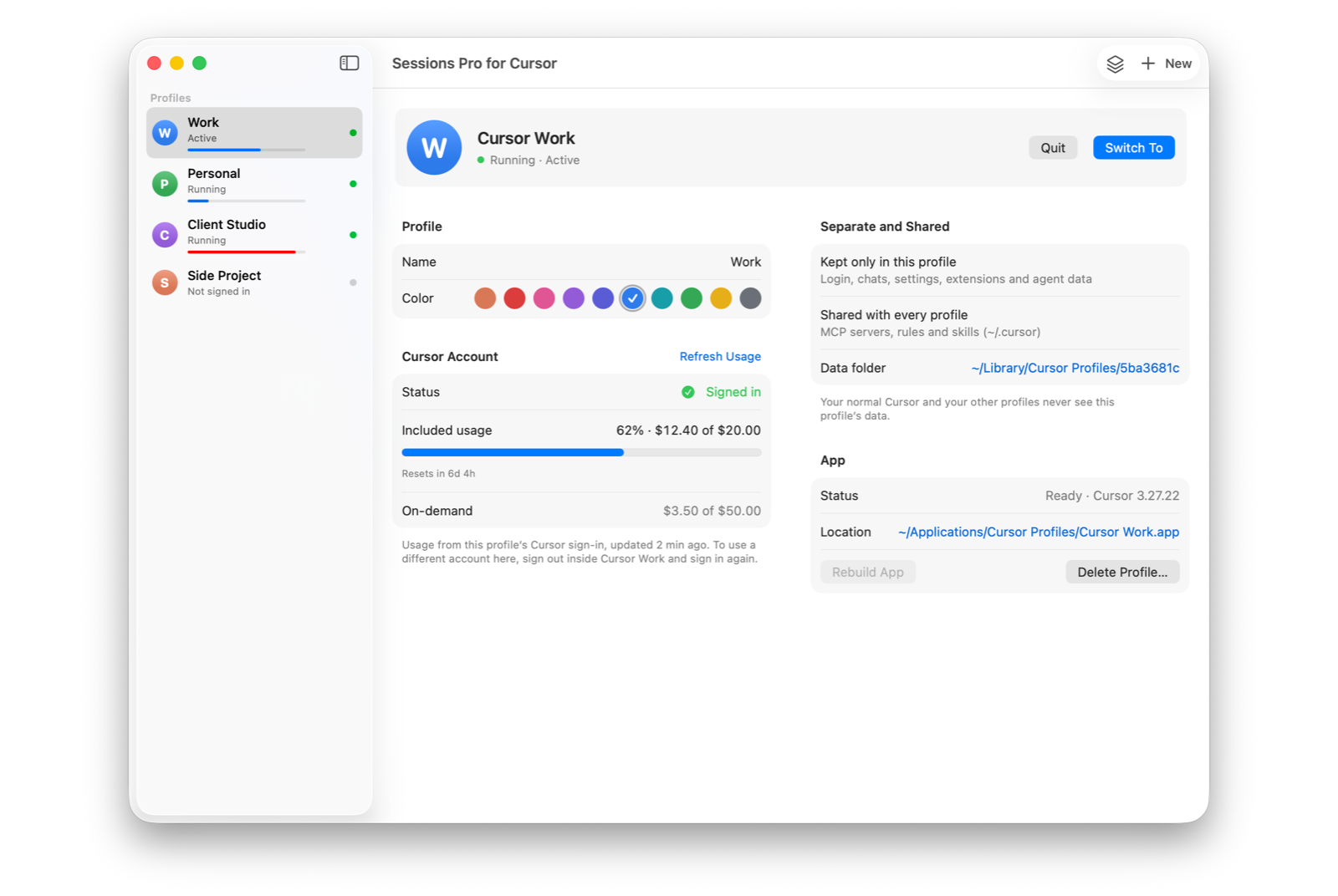
Two Cursor accounts, both signed in.
With Sessions Pro for Cursor, each account keeps its own sign-in, chats, settings, extensions and agent data. Your MCP servers, rules and skills are shared, so your tools follow you into both accounts.
When Cursor updates, the account copies are rebuilt for you, so there's nothing to re-sign by hand and no update message that won't go away.
Which way should you pick?
| --user-data-dir by hand | Second computer user | Sessions Pro for Cursor | |
|---|---|---|---|
| Both accounts on screen together | ✓ | ✕ | ✓ |
| Start it without a command | ✕ | ✓ | ✓ |
| Tell the accounts apart at a glance | Shared icon | ✓ | ✓ Own icon or window title |
| Handles Cursor updates for you | ✕ | ✓ | ✓ |
| Cost | Free | Free | $15 one-time |
We make Sessions Pro for Cursor.
 Sessions Pro for Cursor
Free 1-hour preview · 14-day refund · 2 computers, Mac or PC
Running a company seat next to your own plan? See Cursor work and personal accounts at the same time.
FAQ
Can I have two Cursor accounts?
Yes. Cursor staff on the Cursor forum: “Having multiple accounts is totally fine. The only restriction is sharing a single account.” (forum.cursor.com) Each account needs its own email address and has its own plan.
Can I run two Cursor accounts at the same time?
Yes, as long as each account has its own data folder. One copy of Cursor holds one sign-in, so start a second copy with --user-data-dir, or use an app that sets up a copy per account.
Do I need two Cursor subscriptions?
Each account has its own plan and its own usage. You only pay for the plans you choose on each account; Sessions Pro for Cursor is a separate one-time purchase.
Can I run two Cursor accounts on a Mac?
Yes. With Sessions Pro for Cursor, each account is its own app with its own Dock icon. By hand, use the open -n -a Cursor --args --user-data-dir command above, though both copies then share one icon.
Can I run two Cursor accounts on Windows?
Yes. With Sessions Pro for Cursor, each account opens in its own window, titled with its name, with a tray switcher. By hand, start Cursor.exe with --user-data-dir as above.
Sessions Pro for Cursor is made by LEX GLOBAL IT S.R.L. and is not affiliated with, endorsed by or sponsored by Anysphere, Inc., the maker of Cursor. It runs the official Cursor app with accounts you own, and Cursor's terms apply to each account. Cursor is a trademark of Anysphere, Inc.
All your Cursor accounts. One computer.
Each account in its own app on a Mac, or its own window on Windows. $15 once, for 2 computers.